
If you’re serious about growing your page in 2025, your OnlyFans link in bio is not “just a URL.” It’s the doorway that turns casual lurkers into paying subs.
But there’s a problem:
Most platforms hate direct adult links. Instagram, TikTok, Reddit and others often:
- remove or gray-out OnlyFans links
- reduce your reach or shadowban you
- in worst cases, nuke your account entirely
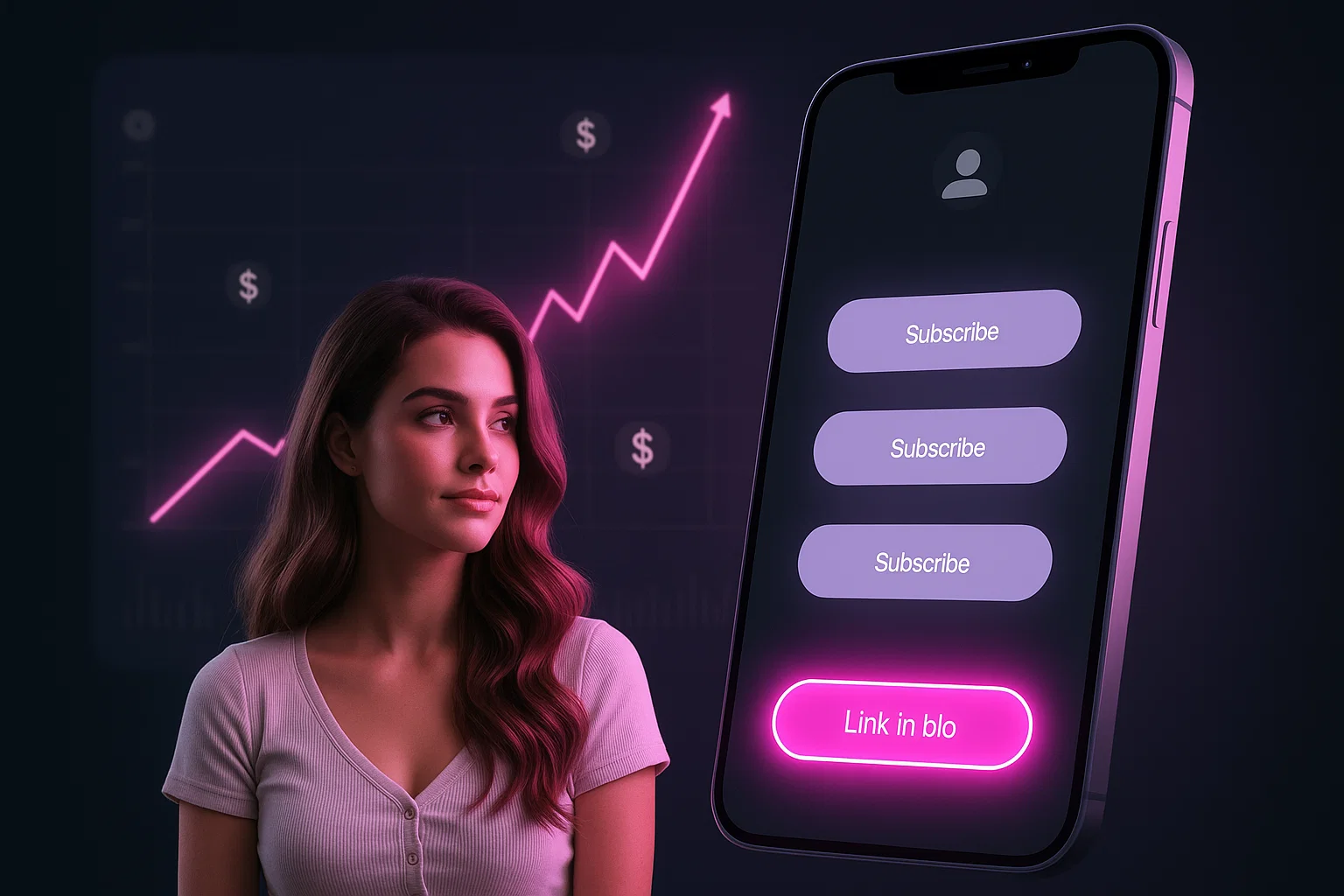
That’s why every serious creator needs a Clean Hub: a safe, SFW “link in bio” landing page that platforms will tolerate and fans will actually click.
This guide walks you through:
- what “OnlyFans link in bio” really is
- why direct links get flagged
- how to build a SFW OnlyFans landing page
- the best free link-in-bio tools for adult creators
- platform-specific strategies (Instagram, TikTok, Reddit, X, etc.)
What “OnlyFans Link in Bio” Actually Means (and Why It Matters)
In creator-speak, an OnlyFans link in bio is simply the direct URL to your OF page that you place in your social profile, so followers can easily find and subscribe.
Why it’s powerful:
- Every platform (IG, TikTok, X, Threads…) gives you one main link slot
- That link is the main “funnel” from social content → paying subs
- A good link-in-bio strategy can boost visibility and monetization dramatically
But many social platforms:
- allow only one link in bio
- actively crack down on direct adult links (including OnlyFans)
Which is why you shouldn’t just paste onlyfans.com/yourname everywhere and hope for the best.
“If you’re still setting up your page, start with this beginner guide to getting started on OnlyFans in 2025 and then come back to optimize your bio.”
Why Direct OnlyFans Links Get Flagged or Shadowbanned
Most big platforms have strict rules around:
- adult content
- “sexual solicitation”
- sending users to explicit sites off-platform
Guides for OnlyFans promotion on Instagram consistently warn that direct OnlyFans links in your IG bio are often removed, deactivated, or grayed out, and can reduce your reach.
Other patterns we see in 2025:
- Articles and tools aimed at creators openly state that OnlyFans links are regularly blocked or shadowbanned on Instagram, TikTok, Reddit and more because of adult-content and spam policies.
- Creator guides recommend using one “bio link” instead of spamming direct OF URLs in captions, comments and stories.
In short:
Platforms can’t always tell the difference between a legit adult creator and a spam bot—so direct OF links are treated as risky by default.
The solution:
Put a clean, safe landing page in the middle.
“If you’ve already had posts removed or accounts throttled, read our Shadowbans 101 guide for creators to understand how platforms quietly bury your content.”
Meet the Clean Hub: Your SFW Landing Page Between Socials & OnlyFans
A Clean Hub is:
A SFW “link in bio” landing page that lives on a neutral domain (link-in-bio service or your own site), where you briefly introduce yourself, show safe visuals, and list multiple links (OnlyFans, socials, wishlists, etc.).
Why this works better:
- To platforms, it looks like a normal website / tool, not a raw adult link
- You can add multiple links (OnlyFans, fansly, cam sites, wishlist, email, etc.) instead of changing your bio every week
- You can control the SFW vs “spicy” balance on the page
“Your Clean Hub becomes the core of your OnlyFans promotion strategy outside adult platforms.”
Some adult-focused guides even suggest a “safety ratio”: for every spicy link, include several SFW links (blog, free resources, socials, newsletter) so your landing page doesn’t look like a pure porn portal.
Think of your Clean Hub as:
- Homepage of your creator business
- A place that feels safe to platforms and fans
- Something you can put in IG/TikTok/Threads/Reddit without panic
How to Design a Safe, SFW OnlyFans Landing Page
You can build your Clean Hub using a link-in-bio tool or a simple one-page site. The structure is almost the same.
1. Keep the Visuals SFW (But On-Brand)
Use:
- portrait/waist-up photos, implied sexy but no explicit nudity
- simple background or brand colors (think your SlayTease aesthetic)
- no screenshots of explicit content, no visible nipples/genitals, no hardcore text
This keeps you within the safer side of most platform policies, even if they crawl your landing-page preview.
2. Use Clear, Human Copy
Top section:
- 1–2 lines: who you are and your vibe
- “Soft girlfriend energy, lingerie & cozy chats.”
- “Alt gamer girl, cosplay, slow-burn spicy content.”
- 1 line: what fans can do here:
- “Tap a button below to choose how close you want to get.”
Avoid explicit wording (“hardcore porn”, “XXX”, etc.) in your bio link page copy. Keep it suggestive, not graphic.
3. Structure Your Links Smartly
Order your buttons:
- Top priority: “Main” money link (OnlyFans / the offer you’re pushing)
- Then: Free or SFW stuff (Twitter/X, IG, Reddit, TikTok, YouTube)
- Then: Tip jar / wishlist / email list / blog
Example:
- 🔥 “VIP: Unlock my full OnlyFans”
- 💌 “Free teasers & updates on X/Twitter”
- 📸 “SFW selfies & stories on Instagram”
- 🎮 “Behind-the-scenes + Twitch / Kick”
- 💖 “Amazon wishlist / support”
This mix helps maintain that SFW vs NSFW ratio that some IG-focused creator guides recommend for safety.
4. Don’t Use Shady Shorteners or Fake Domains
Guides on bypassing OnlyFans link bans explicitly warn against sketchy URL shorteners or fake domain tricks, because they’re exactly what spam/abuse systems look for.
Stick to:
- The neutral domain of your link tool (Linktree, Direct.me, Beacons, etc.)
- Or your own domain (best option long-term)
Best Free “Link in Bio” Tools for Adult Creators (2025)
You don’t have to build everything from scratch. There are solid link-in-bio tools that explicitly mention OnlyFans use-cases or are widely used by adult creators.
Always check each platform’s latest community standards before going all-in—policies change.
1. Direct.me
A creator-focused tool that compares options like Direct.me, Linktree, and Lnk.bio specifically for OnlyFans promotion.
Why creators like it:
- Free plan with unlimited links, branding, basic analytics
- Built for influencers and creators; OnlyFans examples are openly mentioned
- Can add links to content, socials, wishlists, etc.
Best use:
Your main Clean Hub if you want something simple, recognizable, and not overly “adult-branded”.
2. AllMyLinks / Adult-Friendly Hubs (via niche lists)
Roundups of the best link-in-bio tools for OnlyFans creators highlight options like:
- AllMyLinks, which is heavily used by adult performers
- Beacons, which offers link pages plus monetization tools
- other niche “adult-friendly” bio link services for NSFW creators
These are good when:
- You want something fans instantly recognize as “adult-friendly”
- You don’t mind the platform being openly associated with NSFW creators
3. Linktree (with Sensitive Content Labels)
Linktree is still huge, and their own Community Standards say they do allow links to adult media you create and sell, as long as it’s legal and not full-service sex work, and they may label such pages as “sensitive content.”
Pros:
- Massive brand trust with mainstream users
- Free tier, lots of templates
- “Sensitive content” label can actually protect you compliance-wise
Cons:
- History of tension with sex workers (earlier bans reported)
- Instagram still crawls links behind Linktree, so you must keep your Linktree page itself balanced and safe
Use it if:
You want something mainstream and are okay being cautious about how spicy your Linktree page is.
4. Lnk.bio
Frequently mentioned as a simple, unlimited-links alternative.
- Good for minimalist, fast setup
- Works well as a hub if you design it SFW and keep explicit stuff behind your OnlyFans page.
5. DIY Mini-Site (Carrd, Hostinger, WordPress, etc.)
Some tools and hosting platforms (like Hostinger’s new link-in-bio builder) now offer link-in-bio templates integrated into website builders, so your “bio page” can grow into a full site later.
Advantages:
- Host your Clean Hub on your own domain
- Total control over branding, layout, SEO
- Harder for platforms to auto-flag than a known “adult links” domain
If you already have a site (like yourname.com), this is the gold-standard Clean Hub: one tasteful page, your domain, your rules.
Platform-Specific Strategy: Instagram, TikTok, Reddit, X & More
Instagram: Your Cleanest Playground
Most serious guides on promoting OnlyFans on Instagram agree:
- You can promote OF there, but direct links are risky
- Many creators report direct OnlyFans links being removed or deactivated in bios or posts
Smart approach:
- Put your Clean Hub URL in the website/bio field
- Use captions like “link in bio” or “see my main page”
- Keep your link-in-bio page SFW-balanced so IG doesn’t see “one link → pure porn”
TikTok: SFW Funnel Only
TikTok is ultra-strict on adult content. Creators promoting OF are usually advised to:
- keep TikTok content fully SFW
- use subtle “link in bio” or “check my profile” CTAs
- point to a Clean Hub, not directly to adult platforms
Your landing page should look almost like a normal influencer site with optional adult buttons.
Reddit: Cleaner Links, Less Spam
Blog posts about bypassing OnlyFans link bans mention Reddit alongside IG and TikTok as a platform that often flags direct OF URLs.
Best practices:
- Use your Clean Hub in profile and posts (where allowed)
- Avoid spammy URL shorteners and misleading domains
- Combine this with a smart Reddit posting strategy (your Reddit Playbook article)
X / Twitter & Other Sites
X is more tolerant of adult content, but:
- it’s still smart to use your Clean Hub in bio
- you can link directly to OnlyFans in pinned tweets, while keeping bio link cleaner
Threads & newer platforms are also moving toward multiple links in profile, reducing the need for link-in-bio services—but a Clean Hub still keeps your adult funnels organized.
Make People Click: CTAs, Buttons & SFW Hooks
A perfect link-in-bio page can still flop if nobody clicks it.
Simple tweaks:
- Use action-based labels:
- “Unlock my full OnlyFans”
- “Get free teasers & updates”
- “Join my close friends list”
- Add mini descriptions under important buttons:
- “18+ only, subscription content”
- “SFW selfies & stories”
- Highlight one main CTA visually (color or icon) so fans know where to start
Remember: your Clean Hub isn’t just about safety—it’s also a conversion page.
FAQ – Safe OnlyFans Link in Bio Questions
Technically, some creators do, but multiple guides report that Instagram may remove or gray out direct OnlyFans links and reduce reach.
The safer play is to put a Clean Hub link (Linktree, Direct.me, your own site) in your bio and send people there instead.
- Use a SFW landing page as your bio link
- Avoid posting raw OnlyFans URLs in captions/comments
- Keep your landing page balanced with SFW + spicy links, not 100% adult
- Always stay within each platform’s community guidelines
Linktree’s own standards say they allow links to adult content you create and sell, marked as “sensitive content,” as long as it’s legal and not full-service sex work.
However:
- Some sex workers have reported removals in the past
- Instagram still checks what’s on your Linktree page, so keep it SFW-balanced
If you use Linktree, design your page as a clean, balanced hub.
Keep it simple:
- 1–2 lines: who you are & your vibe
- 1 line: what they’ll find (exclusive content, chats, behind-the-scenes)
- Buttons with clear CTAs (“Unlock my page”, “Free teasers”, “Follow my SFW IG”)
Avoid explicit language; let OnlyFans itself carry the adult part.
There’s no single “best,” but:
Your own site (Carrd/Hostinger/WordPress) → most control and long-term safety
Direct.me → great all-rounder built for creators, with OF examples
AllMyLinks / Beacons → very popular in adult creator space, often recommended in OF-specific roundups
Linktree / Lnk.bio → mainstream and flexible, if you keep the page SFW-balanced
Final Thought
Your OnlyFans link in bio is not just a URL—it’s a business decision.
A messy, risky link can cost you accounts.
A clean, strategic hub can quietly feed you subs every single day.
Build one SFW, stable landing page.
Put it everywhere.
Let that link do the heavy lifting—while your content does the seducing.